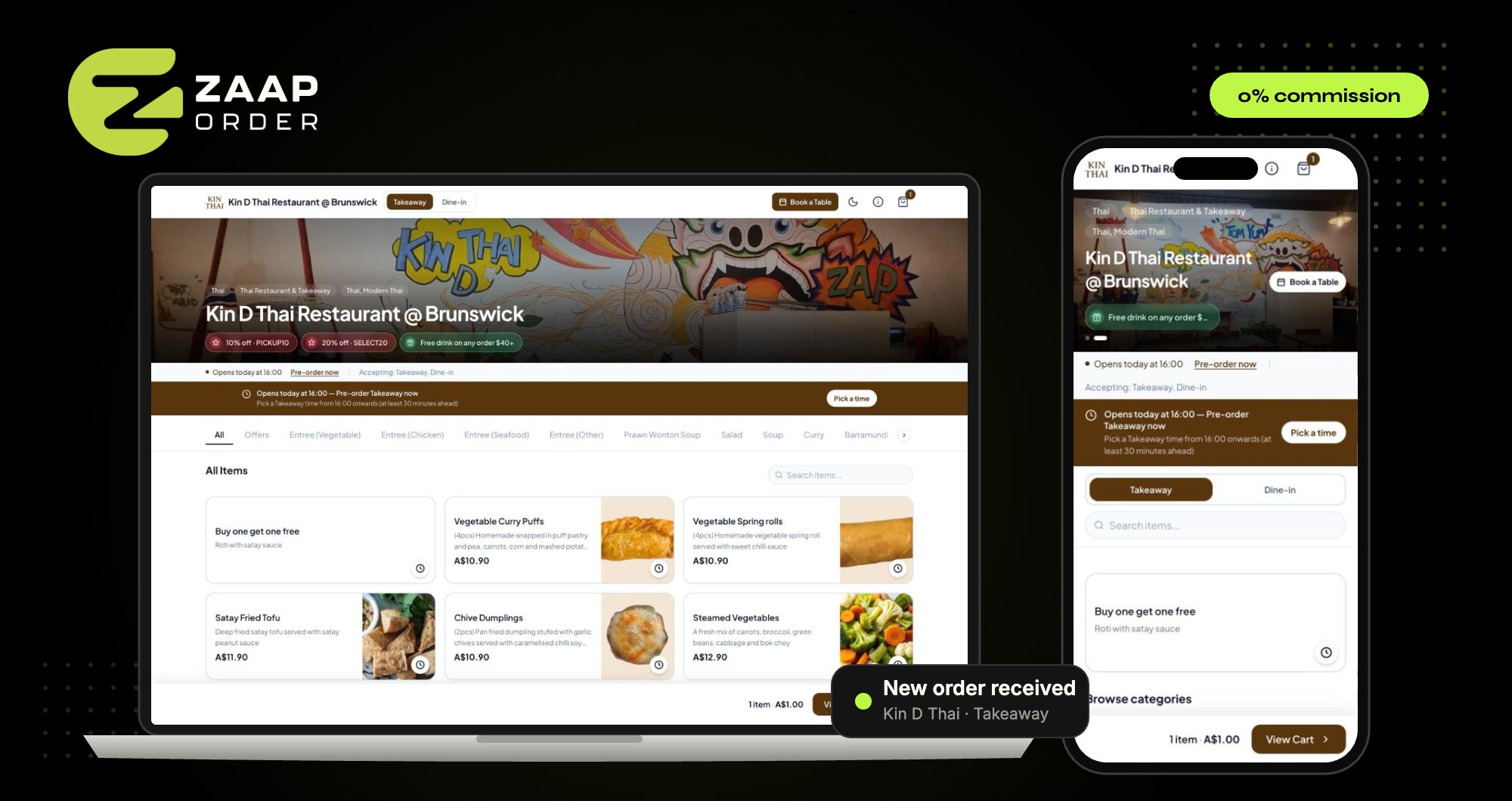
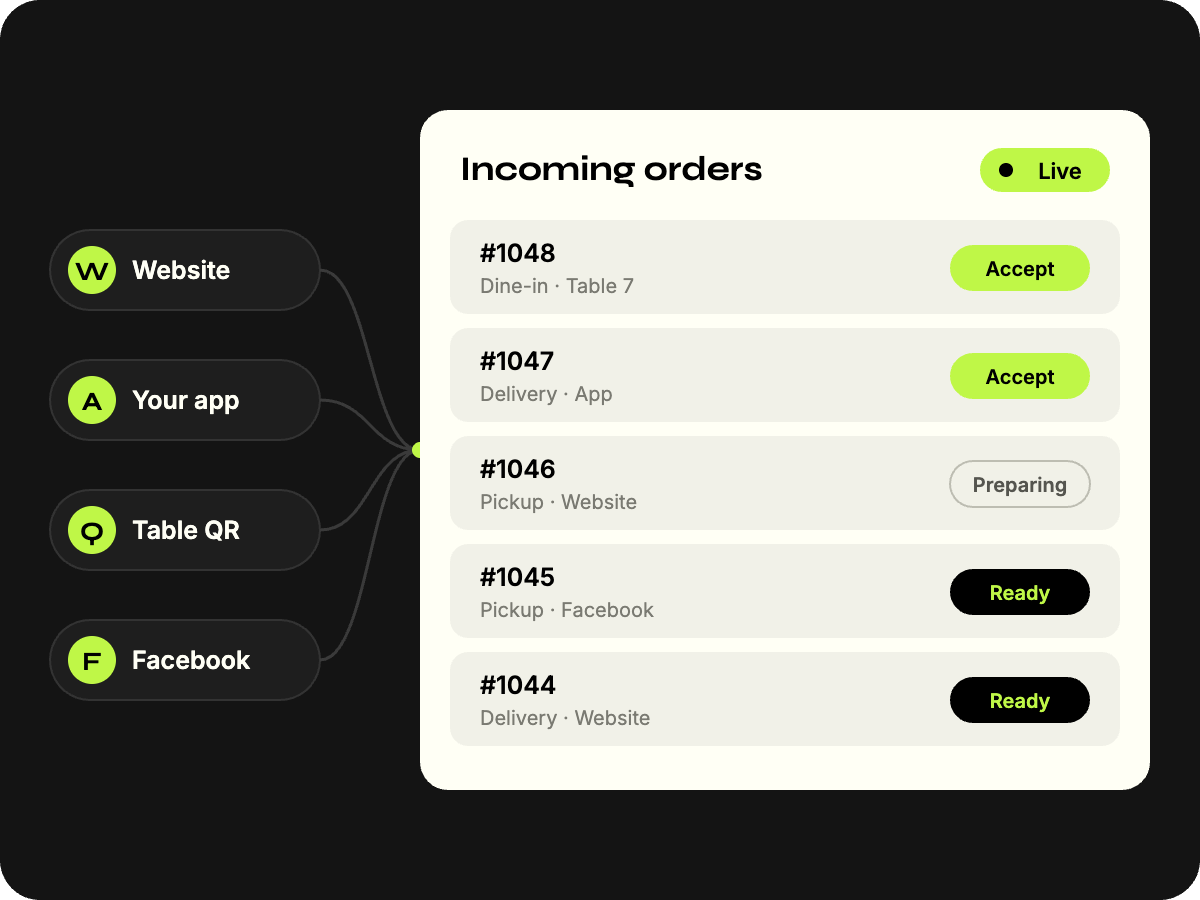
Customers can order from your website, your branded app, a QR code at the table or your Facebook page. Every order lands in one dashboard, so there’s no juggling tablets behind the counter.
How it works:
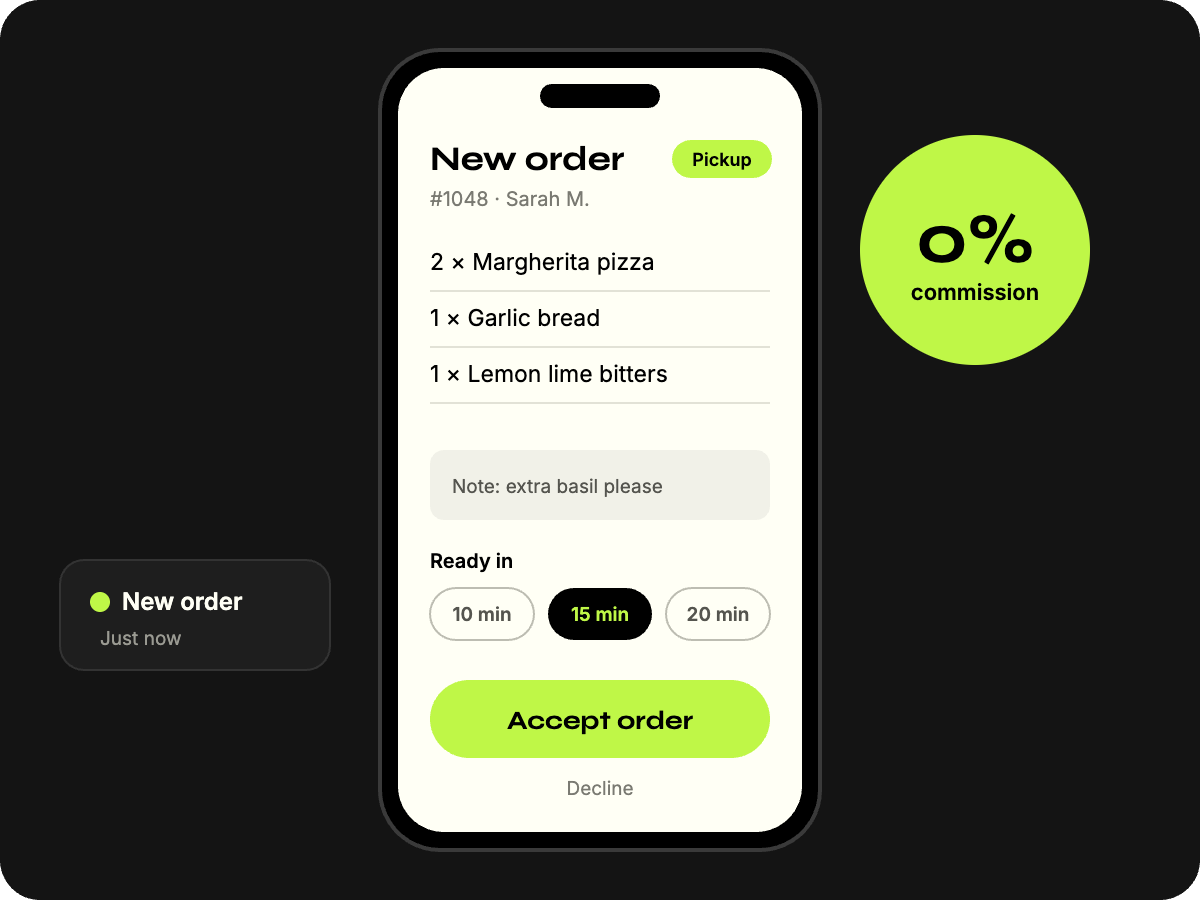
When a customer places an order, it's pushed straight to your Android or iOS device. Accept it with one tap and set a ready time.
Website, app, QR and social orders all follow the same simple flow, so your team only has one system to learn.
Order Taking Application
No special hardware needed. Accept incoming orders on the phone, tablet or iPad you already have.
Install the Zaap Order app for Android or iOS and you can start taking online orders in minutes, with one tap to accept each order and instant alerts so nothing gets missed.
No commission
Keep every dollar of every order. No hidden fees.
Easy portal
Manage orders, opening hours and settings from a simple portal anyone on your team can use.
Ordering system with a beautiful website package
Template and custom websites are available, with online ordering built in.
Driver integration
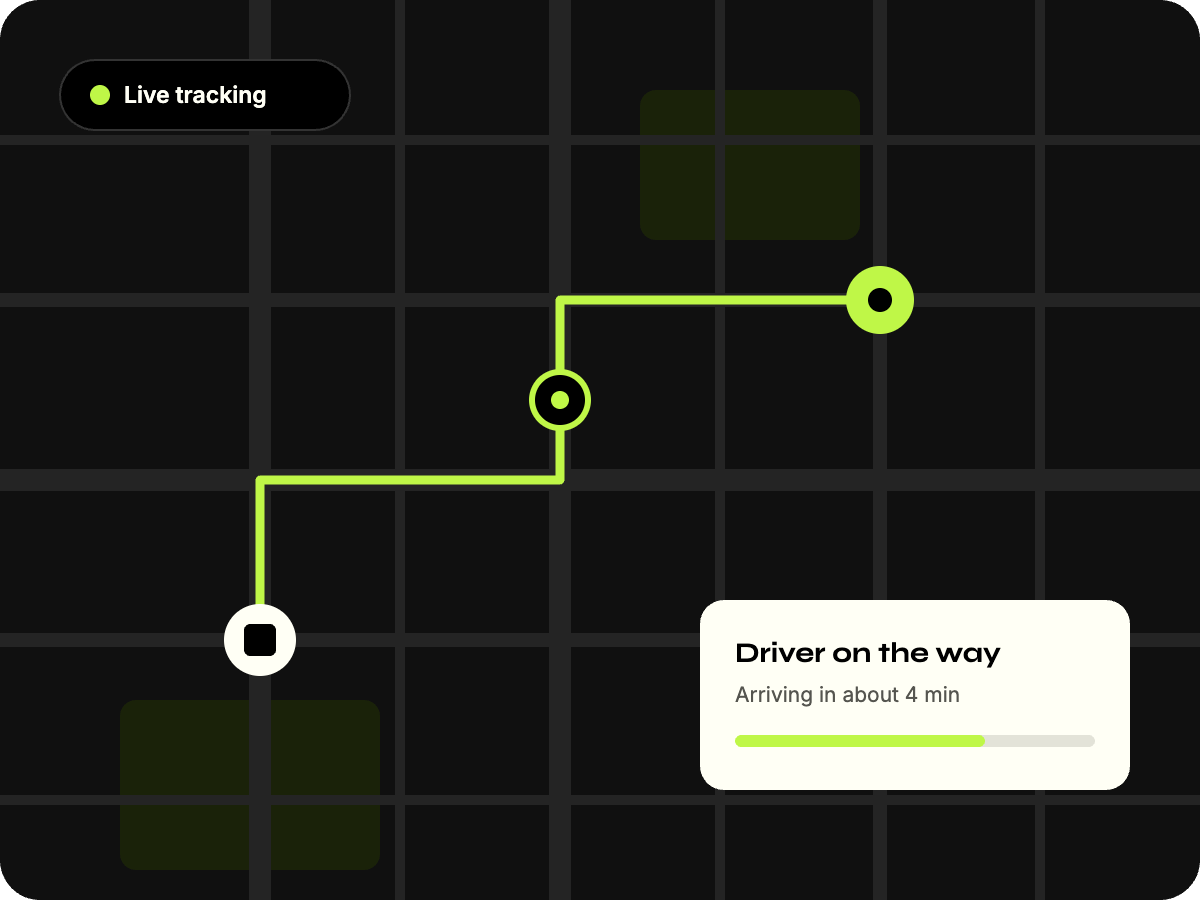
Delivery orders, driver dispatch and live tracking are all handled in one place, so your in-house deliveries practically run themselves.
IHD Conversion Process™ Over the last 48 months, we’ve built a proprietary system that turns first-time customers from third-party marketplaces into repeat customers who order through your restaurant’s own website.
Update your menu in real time
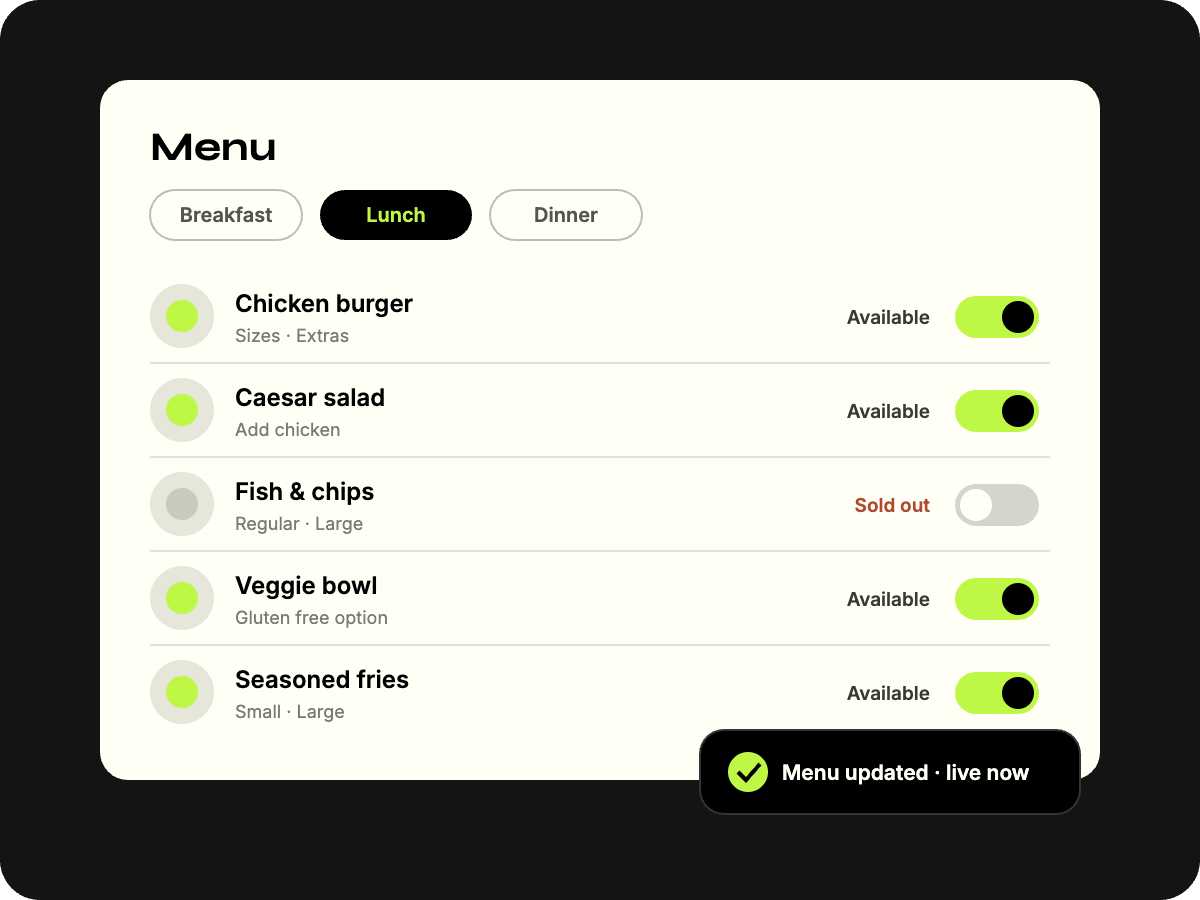
Add dishes, change details or mark an item as sold out, and it’s live straight away. No support tickets and no waiting a day for changes to go through.
Instant updates
Changes show on your website, app and QR menus as soon as you save.
Options and add-ons
Set sizes, extras and modifiers for every item.
Multiple menus
Run separate breakfast, lunch and dinner menus from one account.
How online ordering works
1. Open. Your customer scans a table QR code or opens your website or app, and sees your live menu.
2. Choose. They pick dishes and extras, then choose pickup, delivery or dine-in.
3. Pay. They pay online by card, Apple Pay or Google Pay.
4. Accept. Your device alerts you straight away. Accept with one tap and set a ready time.
5. Collect. The customer is notified when their order is ready, and you keep their details for next time.
What to look for in an online ordering system
✓ Your own branded ordering website and link
✓ No commission on your orders
✓ Menu control with sizes, extras and sold-out toggles
✓ Instant order alerts and one dashboard for every channel
✓ Pickup, delivery, dine-in and table QR ordering
✓ Secure online payments, including Apple Pay and Google Pay
✓ Customer details that belong to you, not a marketplace
Zaap Order covers all of these in one system.
Switching from GloriaFood or a delivery app?
You don’t have to start from scratch. Send us your current menu and our team will help set it up in Zaap Order, so you can switch with minimal downtime.
Already on Uber Eats or DoorDash? Keep them for reach, and use Zaap Order as your own commission-free channel for regulars.
Up and running in three steps
1. Create your account. Tell us about your venue and we’ll get your Zaap Order account set up.
2. Add your menu and branding. Upload your menu, logo and colours, or send them through and our team will help.
3. Share your ordering link. Add it to your website, Google Business Profile, social pages and table QR codes, and start taking orders.
Frequently asked questions
How do customers find my ordering link? Add it to your website, Google Business Profile and social pages, and print it on table QR codes, flyers and receipts.
Can I take orders from more than one channel? Yes. Orders from your website, app, table QR codes and Facebook all come into one dashboard.
What payment methods can customers use? Customers can pay online by card, Apple Pay or Google Pay.
How is Zaap Order different from Uber Eats or DoorDash? Marketplaces take a commission on every order and keep the customer relationship. Zaap Order is your own ordering channel: no commission, and the customer details stay with you.
Do I need a POS to use Zaap Order? No. You can take orders on the phone or tablet you already have. If you do want a POS, Zaap also offers Zii Cloud POS.
Can you help me move my menu across? Yes. Send us your current menu and our team will help you get set up.
Stop sharing your revenue. Start owning it.
Take direct orders through your own website, app and QR codes, with no commission.